

Customize Theme
Ant Design allows you to customize some basic design aspects in order to meet the needs of UI diversity from business and brand, including primary color, border radius, border color, etc.
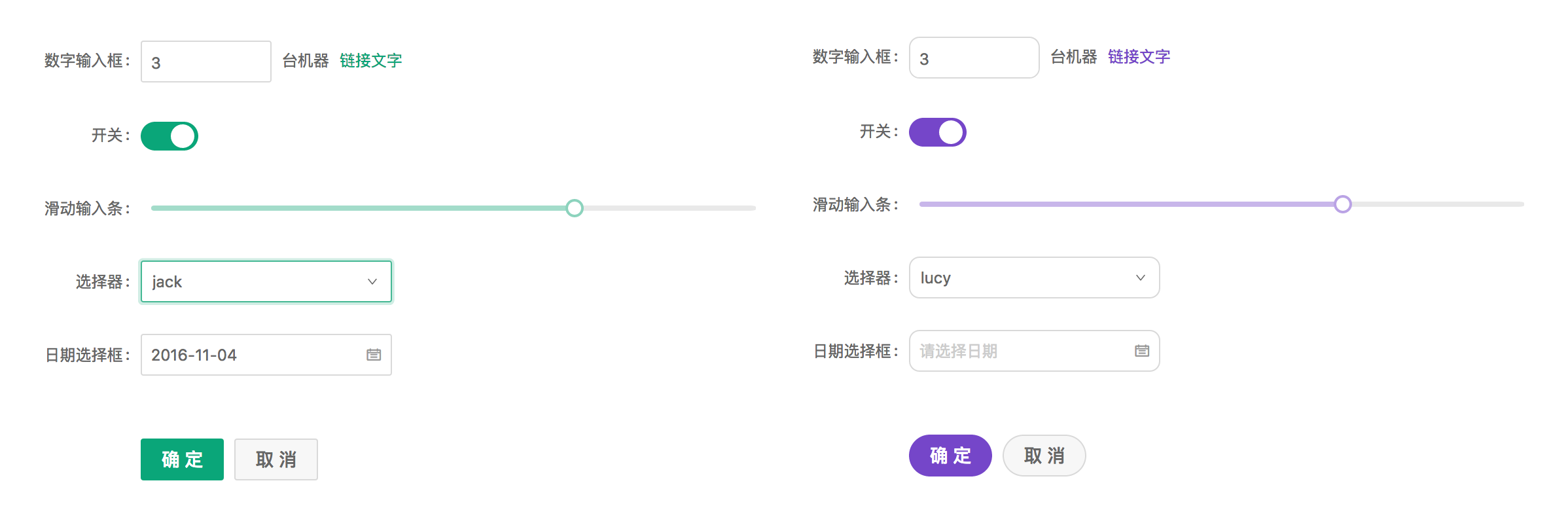
Ant Design Less variables#
We are using Less as the development language for styling. A set of less variables are defined for each design aspect that can be customized to your needs.
There are some major variables below, all less variables could be found in Default Variables.
@primary-color: #1890ff;                         // primary color for all components
@link-color: #1890ff;                            // link color
@success-color: #52c41a;                         // success state color
@warning-color: #faad14;                         // warning state color
@error-color: #f5222d;                           // error state color
@font-size-base: 14px;                           // major text font size
@heading-color: rgba(0, 0, 0, .85);              // heading text color
@text-color: rgba(0, 0, 0, .65);                 // major text color
@text-color-secondary : rgba(0, 0, 0, .45);      // secondary text color
@disabled-color : rgba(0, 0, 0, .25);            // disable state color
@border-radius-base: 4px;                        // major border radius
@border-color-base: #d9d9d9;                     // major border color
@box-shadow-base: 0 2px 8px rgba(0, 0, 0, .15);  // major shadow for layers
Please report an issue if the existing list of variables is not enough for you.
How to do it#
We will use modifyVars provided by less.js to override the default values of the variables, You can use this example as a live playground. We now introduce some popular way to do it depends on different workflow.
Customize in webpack#
We take a typical webpack.config.js file as example to customize it's less-loader options.
// webpack.config.js
module.exports = {
  rules: [{
    test: /\.less$/,
    use: [{
      loader: 'style-loader',
    }, {
      loader: 'css-loader', // translates CSS into CommonJS
    }, {
      loader: 'less-loader', // compiles Less to CSS
+     options: {
+       modifyVars: {
+         'primary-color': '#1DA57A',
+         'link-color': '#1DA57A',
+         'border-radius-base': '2px',
+       },
+       javascriptEnabled: true,
+     },
    }],
    // ...other rules
  }],
  // ...other config
}
Note that do not exclude antd package in node_modules when using less-loader.
Customize in roadhog or Umi#
You can easily use theme field in .webpackrc file of your project root directory if you are using roadhog or Umi,which could be a object or a javascript file path.
"theme": {
  "primary-color": "#1DA57A",
},
Or just a javascript file path:
"theme": "./theme.js",Customize in create-react-app#
Follow Use in create-react-app.
Customize in less file#
Another approach to customize theme is creating a less file within variables to override antd.less.
@import "~antd/dist/antd.less";   // Import Ant Design styles by less entry
@import "your-theme-file.less";   // variables to override above
Note: This way will load the styles of all components, regardless of your demand, which cause style option of babel-plugin-import not working.
Not working?#
You must import styles as less format. A common mistake would be importing multiple copied of styles that some of them are css format to override the less styles.
If you import styles by specifying the
styleoption of babel-plugin-import, change it from'css'totrue, which will import thelessversion of antd.If you import styles from
'antd/dist/antd.css', change it toantd/dist/antd.less.
If you want to override @icon-url, the value must be contained in quotes like "@icon-url": "'your-icon-font-path'" (A fix sample).